Product Experience
Managing Routers and Assignments
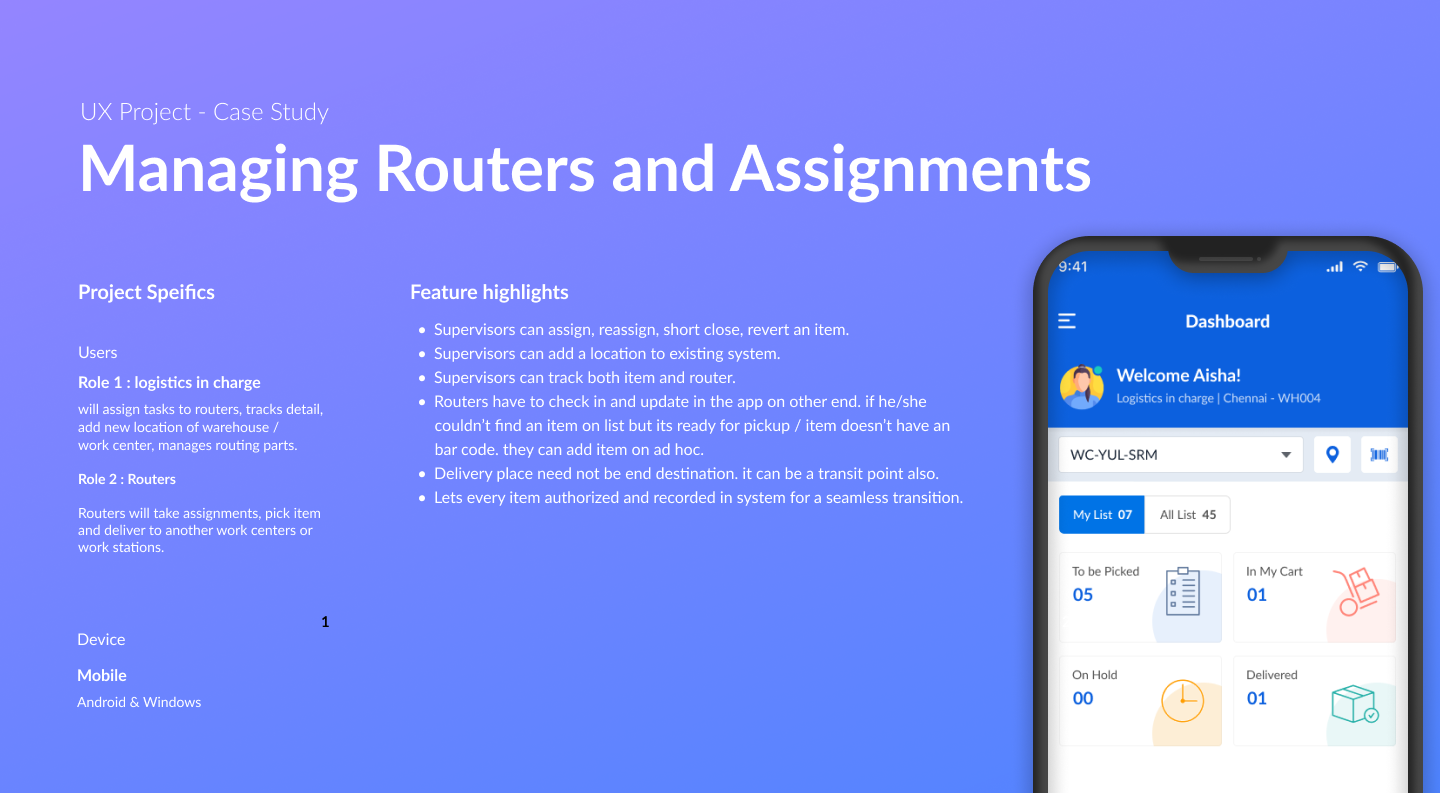
This app was proposed to aid line maintenance teams in routing parts effectively. Logistics in-charge and line routers use it to communicate, log, and execute every step of the delivery chain. The project came in as a redesign with new feature additions — balancing an existing flow with enhancements while closing gaps in the original system.
 1 / 4
1 / 4Two Roles, One Chain — Parts Routing in Line Maintenance
Line maintenance routing runs on two interdependent roles. The logistics in-charge manages the routing list, tracks every item and router, and controls assignments and locations. The router receives assignments, picks parts from warehouses, and delivers to work centers or work stations. Every action — login, pickup, delivery, logout — had to be authorized through barcode scanning and recorded for a fully traceable chain.
Redesign Plus New Features — Balancing Old and New
This app came in for redesigning, along with new add-on features. Balancing the existing flow, enhancing it, and giving it a new look was the core challenge. It also involved re-inventing parts of the system and closing existing gaps — a more complex brief than a greenfield design, since every change had to account for what was already in use.
Discussion → Analyze → Ideate → Evaluate → Iterate
Requirements and business needs were explored with product owners, covering both role flows and the gaps in the existing system. The existing app was analyzed to understand what to preserve, enhance, or reinvent. Sketches became wireframes, wireframes became visual designs, prototypes were evaluated for feedback and technical feasibility — and the cycle repeated until both the redesigned flows and new features reached their final shape.
Pick, Cart, Deliver — Barcode-Gated at Every Step
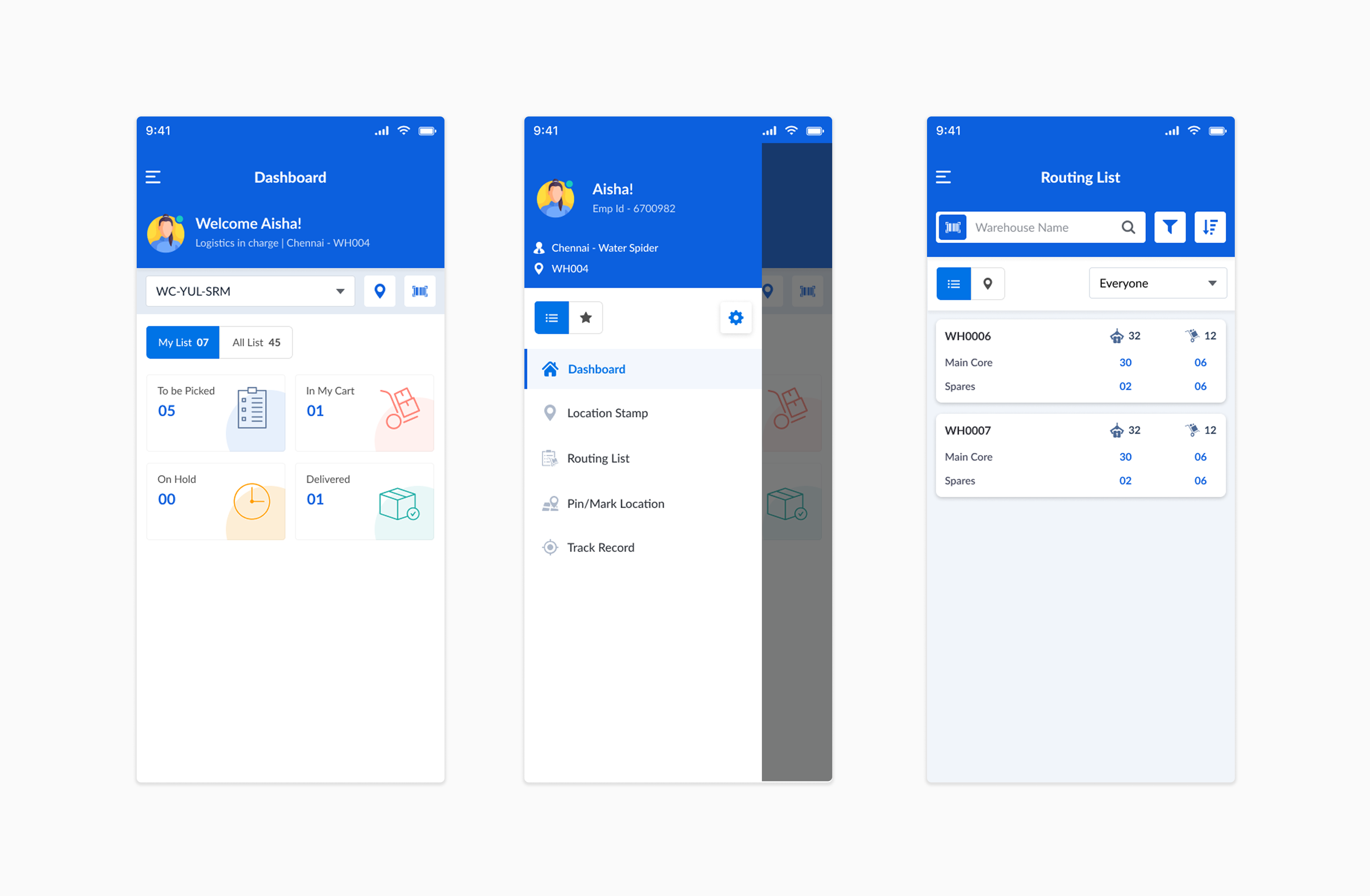
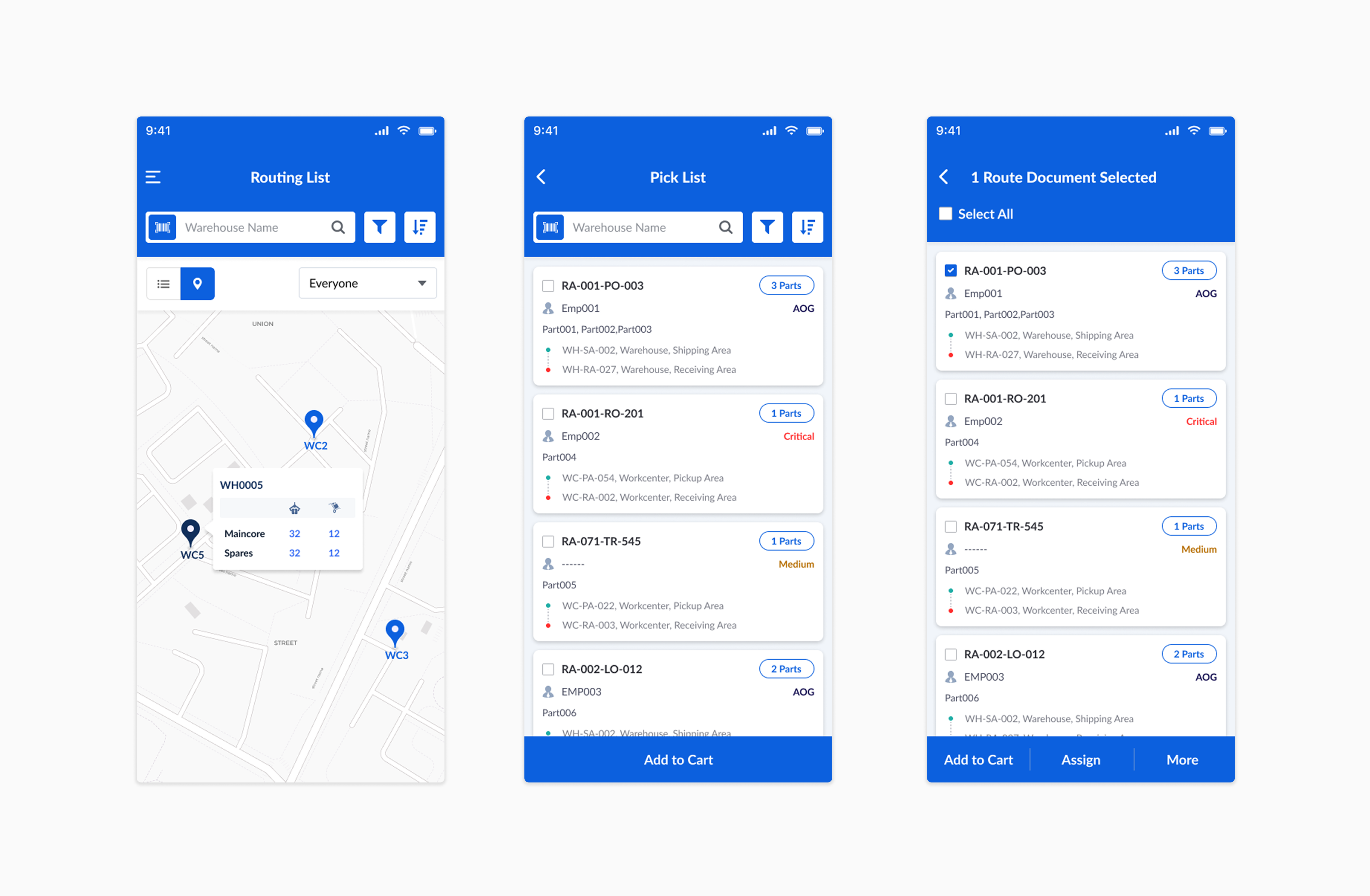
Once logged in, routers see the day's pick list organized in buckets. They sign into the warehouse via barcode to record location, then scan each item to add it to the pick list. If an item is ready to pick but not on the list, or has no barcode, routers can add it as an ad hoc item — keeping the process moving without losing the record. All picked items land in My Cart for transit. At the delivery destination, items are scanned out for delivery confirmation. Delivery can be a transit point, not necessarily the final destination — logistics in-charge can reassign from there.
Assign, Track, Control — Full Visibility for Logistics In-Charge
The logistics in-charge has a routing list view showing items to be picked and delivered. They can assign and reassign tasks, put items on hold, short close, or revert an item to cart. They track both the item and the router in real time. When a new warehouse or work center is needed, they can add the location directly in the system. Only the supervisor can perform hold, assign, reassign, revert, and location add actions — keeping control centralised.
Well Received — A Balance of Old and New
The redesigned app was developed and well received. It succeeded in holding both sides of the brief — preserving the familiar parts of the existing flow while meaningfully expanding what the system could do. Handled independently from scratch under the supervision of a senior UX person and design lead, covering the full spectrum from requirements to documentation and asset handoff.
- Redesign with new features — existing flow preserved, gaps closed, new capabilities integrated
- Ad hoc pickup and transit points added as first-class features, not workarounds
- Solo ownership: requirements, ideation, assets, testing, feedback, documentation
Ask About This Project
Ask about this project