Product Experience
Employee Assignment
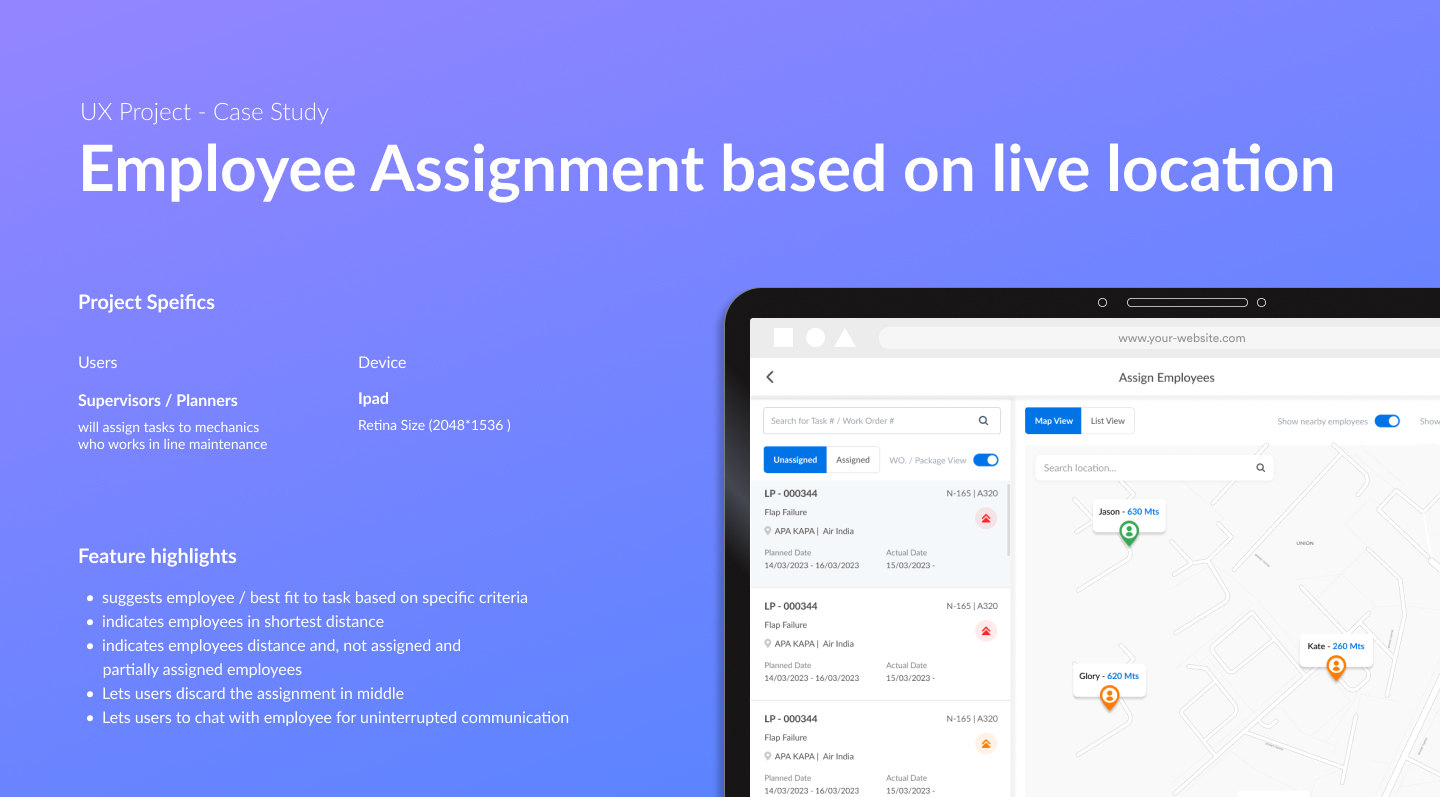
Employee assignment is a core activity in line maintenance — supervisors match mechanics to tasks based on who's nearest, available, and qualified. This project redesigned that experience for iPad, introducing live location awareness, skill-based recommendations, and an in-context chat feature to remove communication gaps.
 1 / 10
Assignment in Line Maintenance Ran on Calls and Memory
In line maintenance, supervisors are responsible for assigning mechanics to open tasks (documents) based on who is nearby, available, and qualified. Without any tooling, this relied on phone calls, prior knowledge of who was where, and manual tracking — a fragile process under operational time pressure.
Integrating Live Location, Skill Fit, and Status in One Map
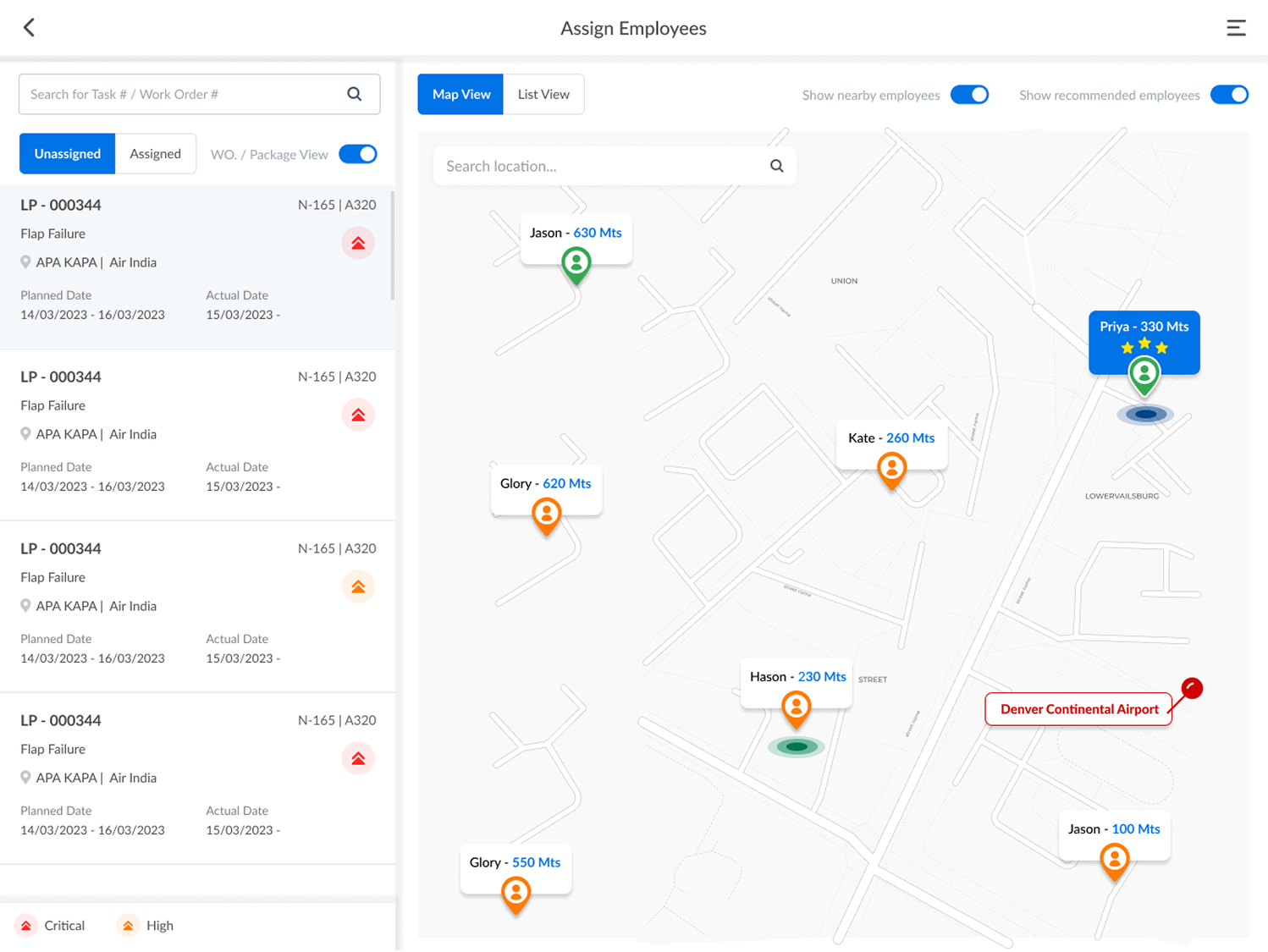
The business need was clear: allocate work to a mechanic based on the location of the work and the mechanic's real-time nearness and availability. The challenge was surfacing distance in km/mts, partial vs unassigned status, skill-based recommendations, and shortest-distance indicators — all integrated into the map. Fitting all of this cohesively into one view without overwhelming supervisors was the central design problem, and it required quite a number of iterations to resolve.
Discussion → Analyze → Ideate → Evaluate → Iterate
The design process followed a structured cycle: requirements and business needs were explored with product owners, followed by competitor analysis, background research, and inspiration gathering. Sketches became wireframes, wireframes became visual designs, and designs became prototypes — each round evaluated with product owners for feedback and technical feasibility. 5 to 6 full ideate-evaluate iterations before the feature reached its final shape.
Recommended, Nearest, Available — in One Ranked List
The supervisor flow starts with a list of unassigned tasks for their work center. Selecting a task surfaces an employee list segmented into three groups: recommended fit based on skills, employee in shortest distance, and all other partially or unassigned employees. Long-pressing any employee reveals their personal details, certification info, and last assigned items before committing. The assign action is one tap; un-assign is available at any point in the process.
Chat as a New Requirement — Born from Real Usage
After delivery to customers for testing, a clear gap emerged: supervisors needed to communicate with mechanics mid-assignment without breaking the flow. Calling or mailing was too slow. A chat feature was added to fill the gap — supporting two levels of communication: one-to-one (user level) and group (document/task level). The feature supports document attachments, link sharing, whiteboard capabilities, voice messages, and screen sharing.
Delivered with Fewer Deviations, Led to a Feature Expansion
The feature was built with fewer deviations from the design spec — a direct result of the iterative process and tight collaboration with product owners and developers. After customer testing, the chat requirement surfaced as a natural extension of the assignment flow. I handled this project independently from scratch — requirements, ideation, technical assistance, asset delivery, testing, feedback incorporation, and documentation — under the supervision of a senior UX person and design lead.
- 5–6 iterations to arrive at a final design that customers could test
- Chat feature requirement emerged from real supervisor usage patterns
- Solo ownership from requirements through documentation and asset handoff
Ask About This Project
Ask about this project